
How to Tune a Guitar
Achieving a perfectly tuned guitar is the essential foundation for every musician. This guide walks you through the standard tuning process to ensure your instrument sounds clear and harmonious.
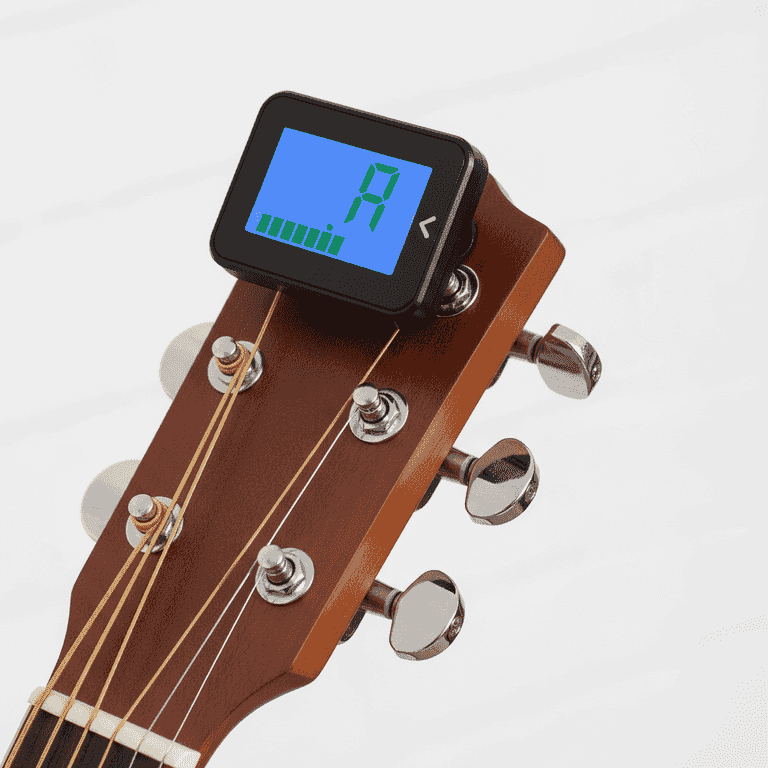
Activate your tuner
1 minuteTurn on your electronic tuner or open your tuning application.
Ensure the tuner is set to 'Chromatic' mode if available, or specifically to guitar mode. Place the device near the guitar or ensure your phone's microphone has a clear path to the sound hole.
Clip-on tuners work best when attached directly to the headstock of the guitar.

Identify the string order
1 minuteLocate the thickest string (Low E) and the thinnest string (High E).
The strings are numbered 6 through 1, starting from the thickest string at the top (closest to your chin) to the thinnest string at the bottom (closest to the floor).
Remember the mnemonic 'Eddie Ate Dynamite Good Bye Eddie' to recall the notes E-A-D-G-B-E.

Pluck the sixth string
1 minuteStrum the thickest string (Low E) once and observe the tuner.
The tuner will display a letter representing the note currently being produced. If the needle is to the left, the note is flat; if to the right, it is sharp.
Pluck the string firmly but do not over-strike it, as this can cause the tuner to fluctuate.

Adjust the tuning peg
2 minutesRotate the corresponding tuning peg to change the pitch until the tuner displays the correct note.
Turn the peg slowly. If the note is flat, tighten the string (rotate toward the body); if sharp, loosen it (rotate away from the body).
Do not turn the pegs too quickly, as high tension can cause strings to snap unexpectedly.
Always tune 'up' to the note—if you go too far, loosen it past the note and tighten it back up to the target pitch.

Repeat for all strings
4 minutesProceed through all six strings, tuning each one individually until the tuner indicates the target note is centered.
After tuning the Low E, move to A, D, G, B, and finally the High E. Because changing the tension on one string can slightly affect others, you may need to do a second quick pass.
Check the tuner after every minor adjustment to ensure the needle remains centered.
Pro Tips
- ●Stretch your strings gently after installing new ones to help them hold their tune longer.
- ●Tune your guitar every single time you sit down to play.
- ●If your guitar goes out of tune constantly, check if your strings are old and need replacing.
- ●Use a high-quality tuner app if you do not have a hardware device.